
)
Why We Use SmartCrawl over Yoast and Rank Math
Yoast Premium, Rank Math Pro and SmartCrawl Pro are all capable SEO plugins. Here’s how the three paid versions compare, and why SmartCrawl Pro comes…



If it feels like you’re hearing about WordPress hacks more often, you’re right. Attackers now use AI to find weak spots in websites faster than ever. Once a flaw is made public, they can have tools attacking thousands of sites within hours.
WordPress runs a huge share of the web, including many small business websites here in the Okanagan and across Canada. That popularity makes it a target. The good news is that most hacks are preventable. This guide covers what’s changed, where the risks are, and the steps that keep a site secure.
Short answer: yes, when it’s built and maintained properly.
WordPress core, the software itself, is well looked after. Patchstack’s State of WordPress Security in 2026 report found only six vulnerabilities in WordPress core last year, all low priority. The problem is almost never WordPress itself. 91% of new WordPress vulnerabilities were found in plugins, and 9% in themes.
So when people ask “is WordPress secure?”, the better question is: is your WordPress site secure? That depends on three things:
In 2025, researchers found 11,334 new WordPress vulnerabilities, a 42% jump over the year before (Patchstack). A big reason is AI. Modern AI models make it much easier to scan code and spot weaknesses.
This is serious enough that WordPress launched a Core Security Initiative at the end of August 2026. The announcement pointed directly to “the rapid advancement of frontier AI models” as the reason security reports have surged. WordPress is now using AI-assisted scanning of its own to find flaws before attackers do.
Here’s the number every site owner should know: the median time from a vulnerability being disclosed to mass exploitation is just 5 hours. About half of high-impact vulnerabilities are exploited within 24 hours.
Put simply, if a plugin on your site has a security flaw and you update it “sometime next month,” you’ve likely already been scanned, and possibly hacked.
Many site owners assume their web host handles security. Patchstack tested this and found typical hosting defences blocked only 12% to 26% of attacks on known WordPress vulnerabilities. Your host is one layer. It shouldn’t be your only one
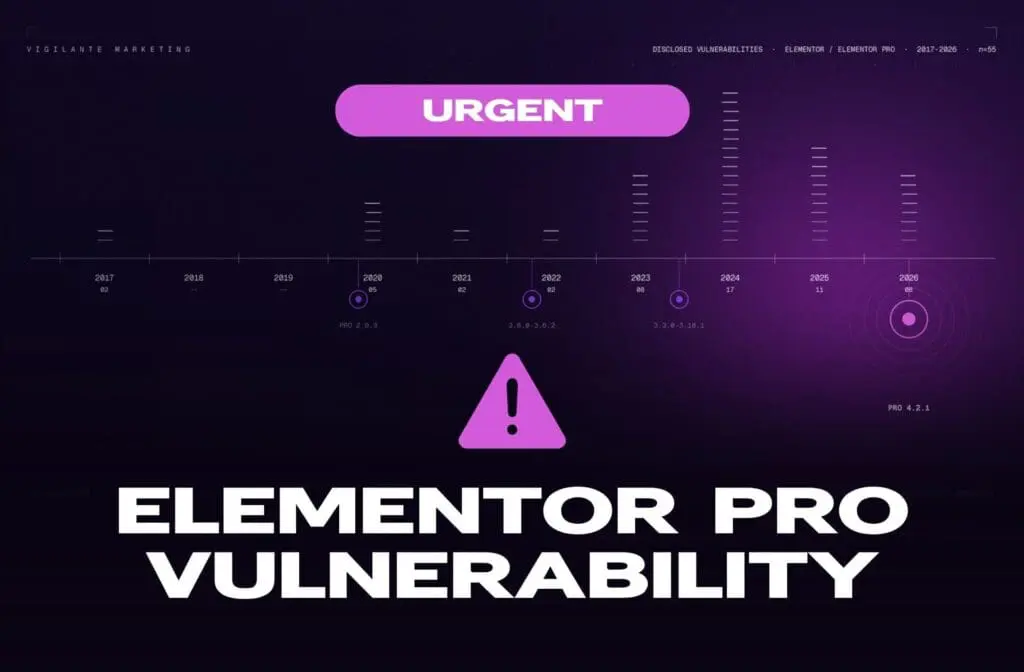
These aren’t obscure plugins. Some of the most widely used tools in WordPress have been hit this year.

Most WordPress hacks come down to a handful of causes:
If you think your site has been compromised, act quickly:
To properly secure a WordPress site after a breach, you need to close the hole that let the attacker in. Otherwise, it’s common to be hacked again within days. If you’re not sure where to start, this is a good time to call in a professional.

The biggest takeaway: WordPress security is ongoing. New vulnerabilities are found every week, and AI means attackers act faster than ever. A site that was secure last month can be at risk today.
That’s where Vigilante Marketing’s Site Support comes in. We keep your WordPress core, plugins and theme updated, run security scans and monitoring with Defender Pro, keep backups, and deal with issues before they turn into emergencies. You get to focus on your business while we keep your site secure.
And if your current site was built on outdated or unsupported plugins, we can talk about whether a fresh build on our trusted stack makes more sense than patching an old one.
Contact Vigilante Marketing to talk about website maintenance or a secure new build.
Yes. WordPress core is very secure. Most WordPress security issues come from outdated or poorly supported plugins and themes, weak logins and missed updates.
Security updates and patches should go on as soon as possible, ideally within a day of release. Attackers often start exploiting new vulnerabilities within hours.
A CVE (Common Vulnerabilities and Exposures) is a public ID given to a known security flaw. When a WordPress plugin gets a CVE, attackers know exactly what to look for, so patching quickly matters.
Yes. Testing found hosting defences blocked only 12% to 26% of attacks on known WordPress vulnerabilities. A security plugin like Defender Pro adds malware scanning, a firewall and login protection.
Update them right away, remove any you don’t use, and replace plugins that are no longer maintained with actively supported alternatives.


The latest marketing news, promotions, and tips & tricks in our monthly newsletter
"*" indicates required fields