

Have questions about paid ads, campaign optimisation, or platform features? Browse our knowledge base for step-by-step guides, FAQs, and expert insights to help you succeed.
How Memberships and Subscriptions Fit Together
On This Page
A subscription is the paying arrangement. A membership is the access that payment buys. They are two separate records that usually travel together, and almost every confusing membership question comes from someone looking at one and expecting it to explain the other.
Two records, two jobs
It helps to think of them as answering different questions.
| Record | Answers | Lives under |
|---|---|---|
| Subscription | Are they paying, how much, how often, and when is the next payment? | WooCommerce, then Subscriptions |
| Membership | What can they see and do on the site, and until when? | WooCommerce, then Memberships |
This is why “their payment went through, so why can they not log in and see the members area?” is a sensible question with a real answer. The payment lives on one record and the access lives on the other.
How they connect
When someone buys a membership product on the site, three things happen in order, usually within a second or two:
- The order is paid.
- A subscription is created, holding the schedule and the next payment date.
- A membership is created and linked to that subscription, which is what actually unlocks the content.
Because step three depends on step two, the membership normally inherits its end date from the subscription. Renew the subscription and the membership follows. Cancel the subscription and the membership is ended for you.
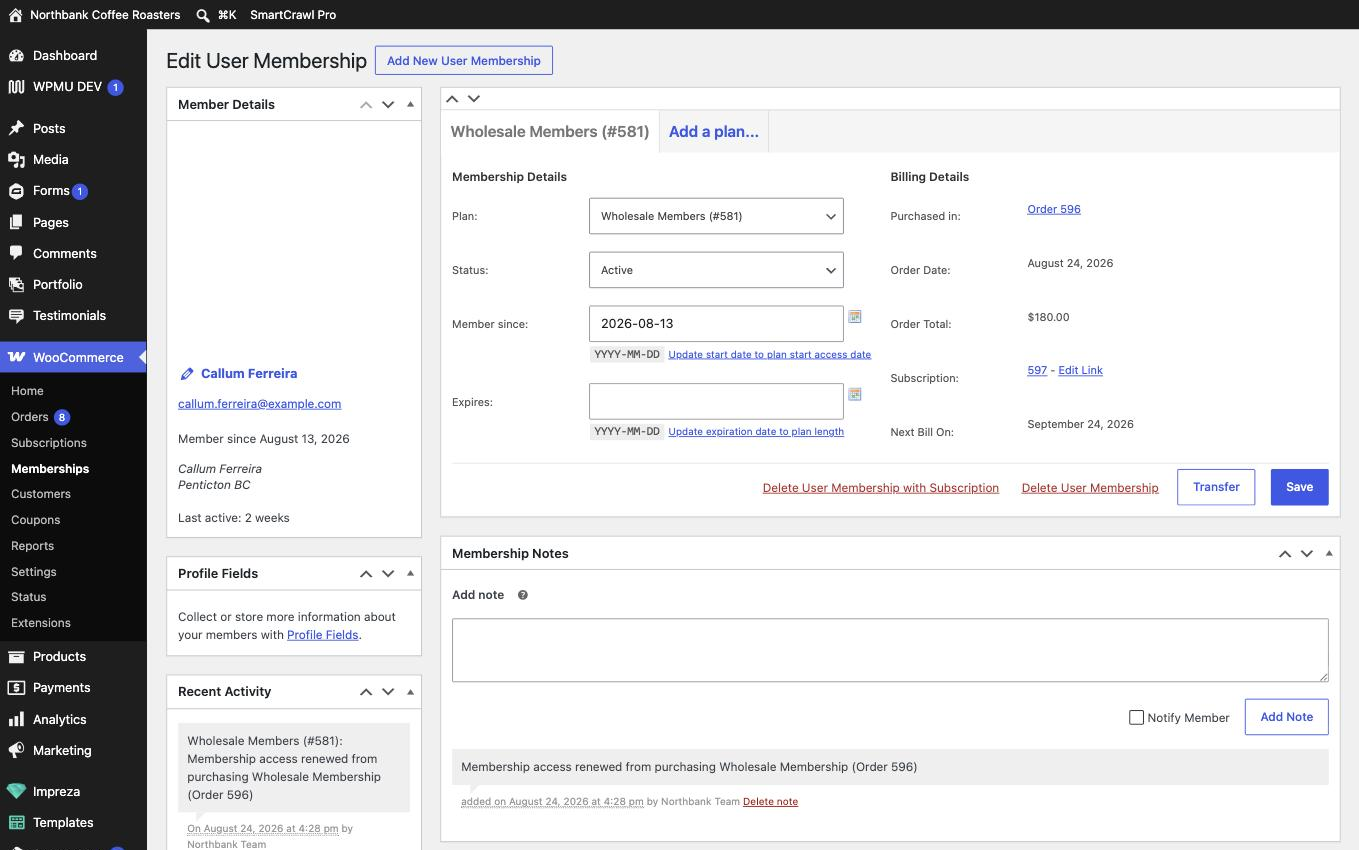
You do not have to keep them in step by hand. On a normal paid membership the subscription drives the dates. If you find yourself editing both records to say the same thing, stop and check whether they are linked, because they usually are.
When one exists without the other
They come apart more often than you would expect, and each case below is normal rather than broken.
| Situation | What you see |
|---|---|
| Someone paid at the office, by cheque or by card in person | You create the membership by hand, so there is no subscription behind it |
| A complimentary or honorary member | Membership only, granted manually, often with no end date |
| A plan that is set to manual only | Membership only, by design |
| They cancelled but the paid period has not run out | Subscription pending cancellation, membership still active until the end date |
| A payment failed and nobody has fixed it yet | Subscription on hold, membership often still active for now |
The last two are worth remembering, because both look like a contradiction and neither is. Access is deliberately allowed to outlive the payment for the period already paid for.
“Member” can mean two things on some sites. If your site also runs Ultimate Member, that plugin keeps its own separate list of people, and someone can exist there while having no WooCommerce membership at all. When you are checking access, make sure you are in WooCommerce, then Memberships, and not the other list. If you are not sure which you are looking at, send us a screenshot and we will tell you.
Which one should I open?
Start from the question the person actually asked.
- “I was charged” or “I was not charged”, or anything about an amount, a card or a payment date, is a subscription question.
- “I cannot see the members area”, or anything about downloads, pages or content they expected to reach, is a membership question.
- “I want to stop” is a subscription question first, because cancelling the payment is what ends the access in the right order.
What we need if something looks wrong
The person’s email address, and whichever number you have to hand, either the subscription number or the membership. Tell us what they said they could not do, in their words. That is usually enough for us to work out which of the two records is out of step.
Related
Still haven’t found what you’re looking for?
Let us know and we’ll do our best to help out!