


Have questions about paid ads, campaign optimisation, or platform features? Browse our knowledge base for step-by-step guides, FAQs, and expert insights to help you succeed.
How to Grant Admin Access to your WordPress Site
On This Page
- Log in to your WordPress website. When you’re logged in, you will be in your ‘Dashboard’.
- Click on ‘Users’.On the left-hand side, you will see a menu. In that menu, click on ‘Users’.

- Click ‘Add New’.
Across the top, click the ‘Add New’ button.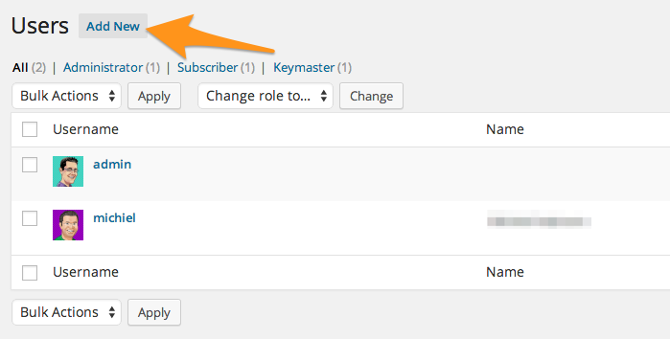
- Fill out the form and set the role to Administrator.
Grant access to [email protected] and please check ‘Send User Notification’. - Click ‘Add New User’.
At the bottom of the form, click the ‘Add New User’ button.
If you want us to be able to log in to your website, please copy the link to your admin login URL and the username in your email to us. Please do not include the password in your email to us. We will use the password reset feature to generate a password for our use.
For example:
Login URL: http://example.com/wp-admin
User: vigilantemarketing
Email: studio@vigilantemarketing
Still haven’t found what you’re looking for?
Let us know and we’ll do our best to help out!