

Have questions about paid ads, campaign optimisation, or platform features? Browse our knowledge base for step-by-step guides, FAQs, and expert insights to help you succeed.
What not to touch, and when to email us instead
On This Page
Your website has two kinds of screen: ones that change a piece of content, and ones that change how the whole site is built. Content screens are yours to use freely. The handful of screens on this page affect everything at once, and they are the ones we would rather you called us about.
Nothing here is a telling-off. You cannot break your site by reading a settings screen, and none of this is about trust. It is that a few settings have consequences far larger than they look, and undoing them costs real money and downtime. Everything else in this library is yours.
The two-second test
Before you save anything, ask: does this change one page, or every page? If it is one page, go ahead. If it is every page, or you cannot tell, email us. That single question covers almost every case below.
Plugins
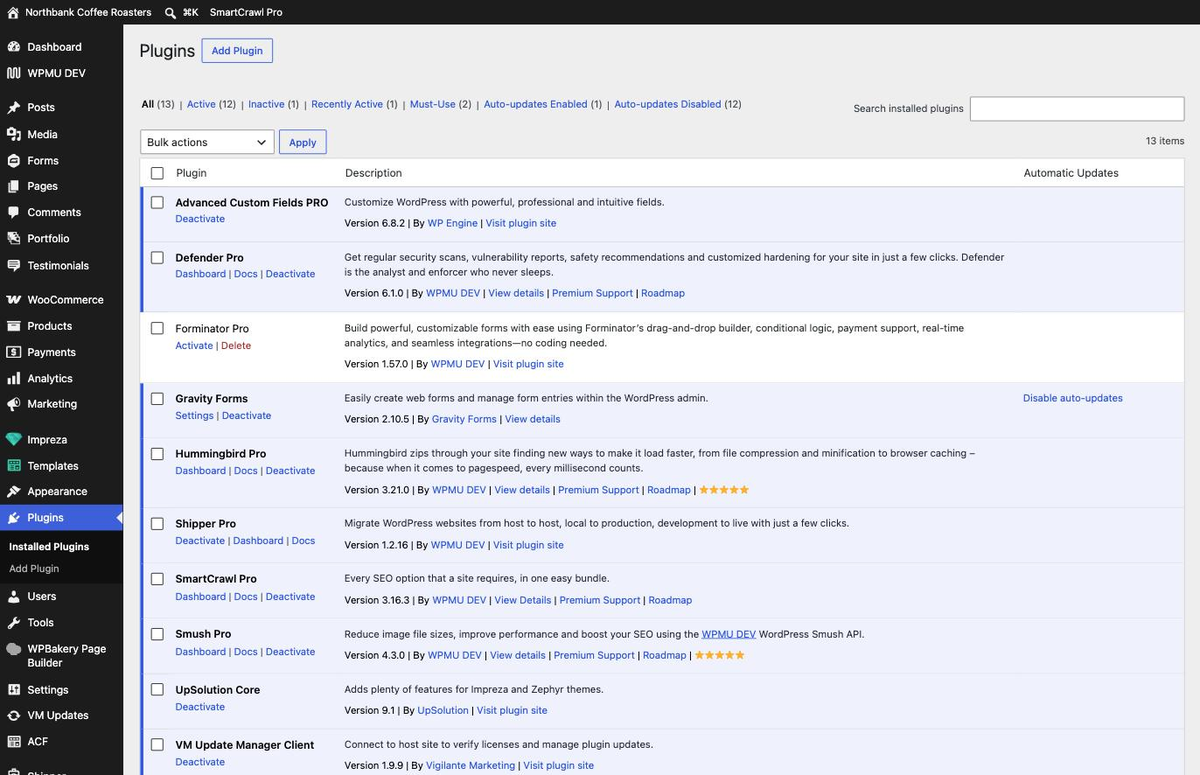
Plugins are the add-ons that make your forms work, your shop run and your site secure. We license them, keep them updated and test the updates first, which is part of what your care plan pays for.
Do not update or deactivate a plugin. A bad plugin update is the single most common way a website goes offline, and updates cannot be undone from inside WordPress. Deactivating one removes whatever it provides, so switching off the wrong plugin can take your contact form, your shop or your checkout down without warning. If you see an update prompt, ignore it. We are already tracking it.
Permalinks
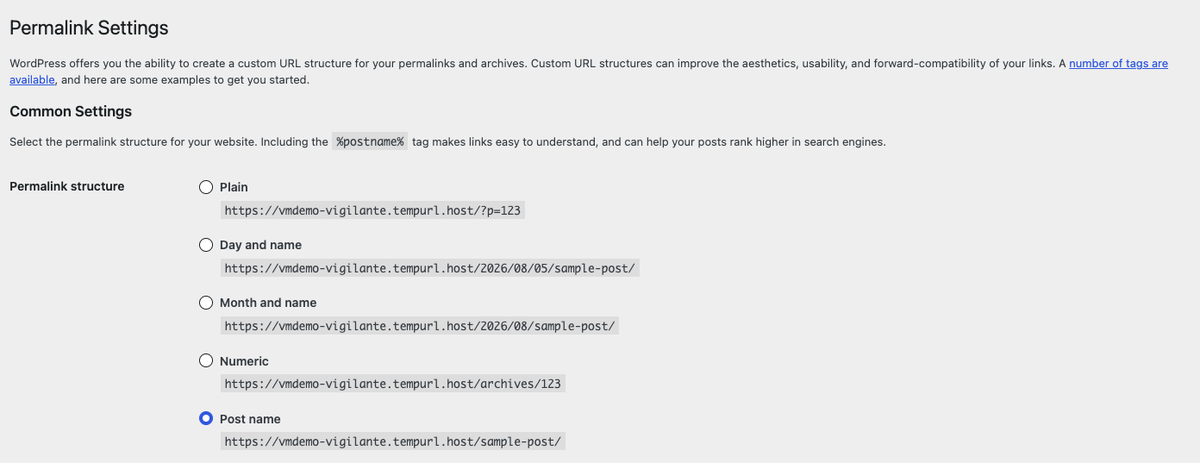
A permalink is a page’s address. The Permalinks screen changes the pattern used for every address on the site.
Never change the permalink structure. Every existing link to your site breaks at once: links in Google, in your email signature, on your Instagram profile, in printed material, and in anything a customer has bookmarked. Your search rankings go with them. This is recoverable only by setting up a redirect for every affected address, which is a project rather than a fix.
The same caution applies to the Permalink field on an individual page. Renaming one page’s address breaks only that page’s links rather than all of them, but it still breaks them. If a page genuinely needs a new address, tell us and we will move it and put a redirect in place so the old link keeps working.
Reading settings
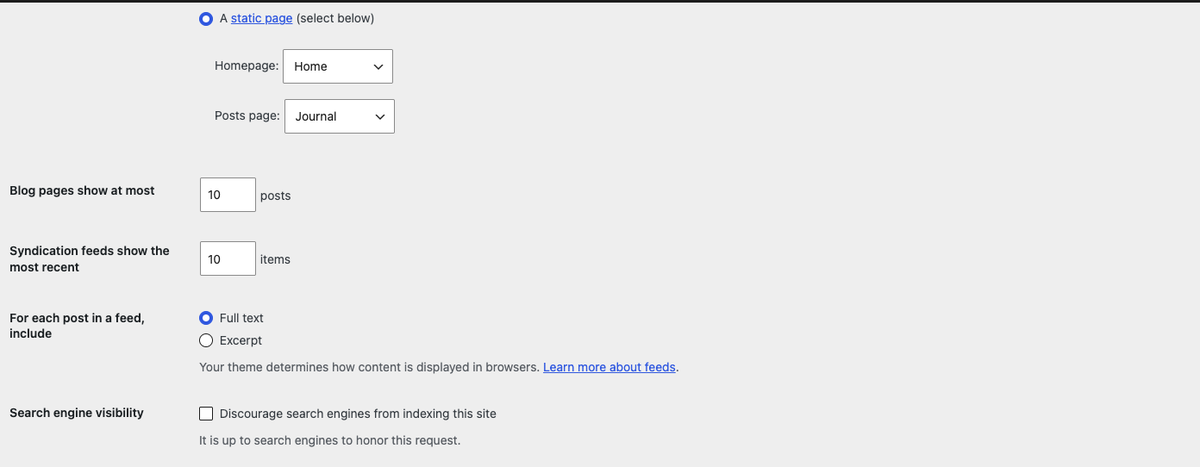
Leave the search engine checkbox alone. “Discourage search engines from indexing this site” is one click, gives no warning, and quietly removes your site from Google. Sites have sat unfindable for weeks because of it. There is never a reason to tick it on a live website.
The Homepage and Posts page dropdowns decide your site’s structure. Changing them swaps what visitors see first. If you want a different homepage, that is a design conversation rather than a dropdown.
Appearance and Theme Options
Your design lives in two places, and both apply site-wide.
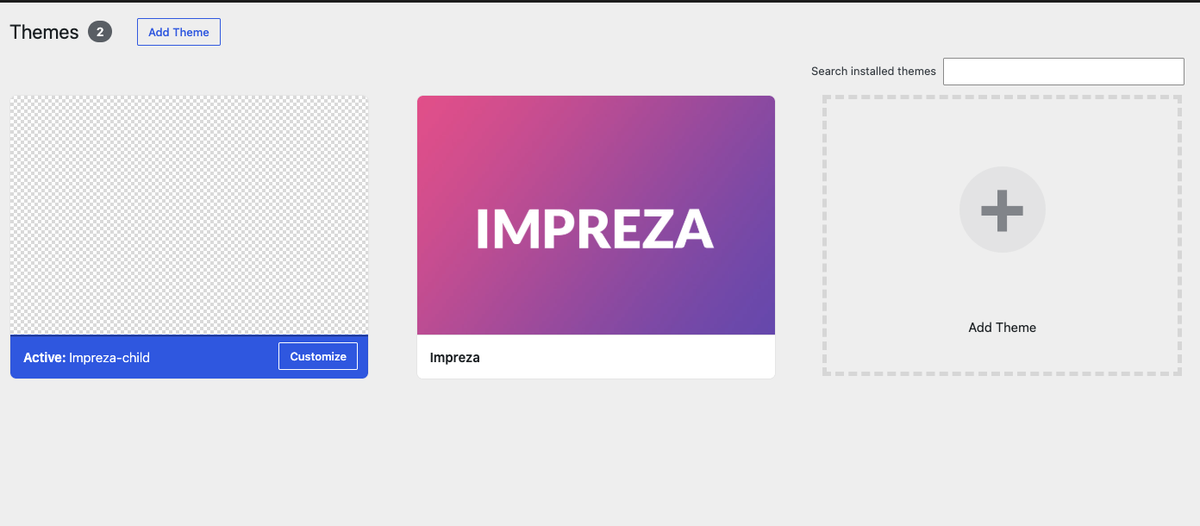
Do not activate a different theme. Your site is built on a child theme that holds your specific design work. Activating the parent or any other theme replaces your layouts, fonts and colours everywhere at once. Switching back does not always restore everything.
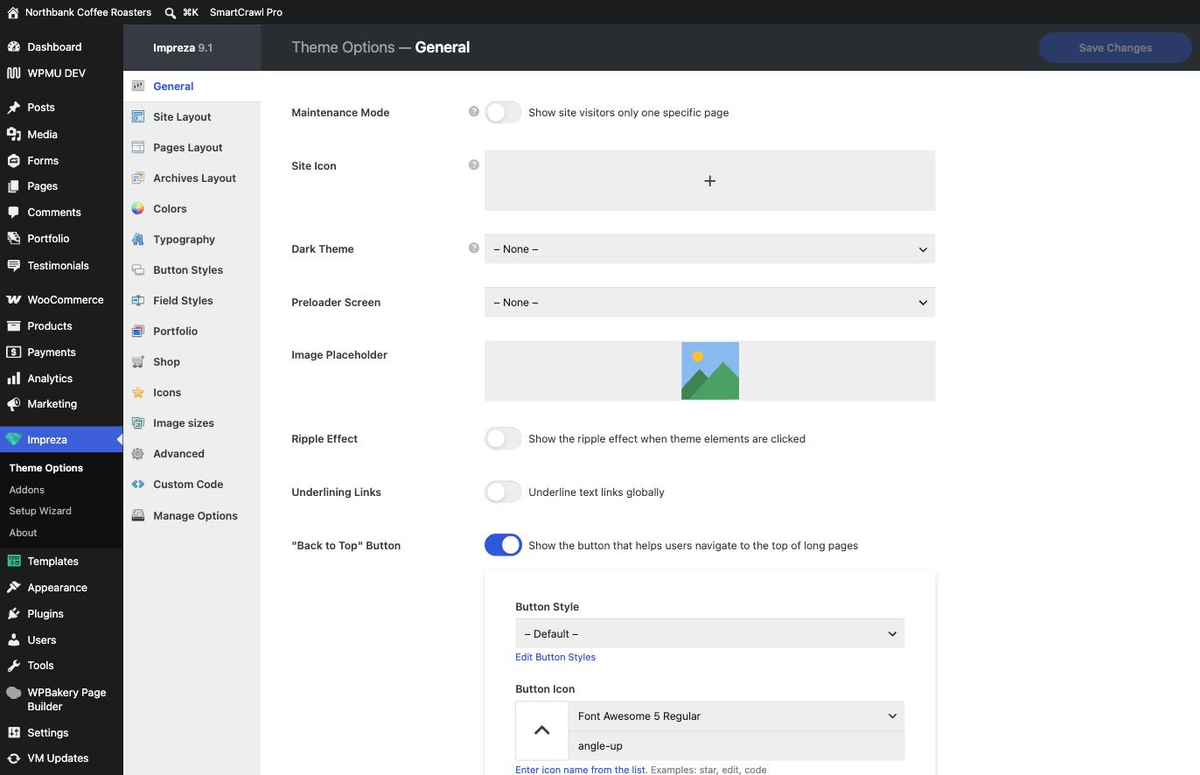
Theme Options changes are global, and Maintenance Mode is right at the top. Colours, fonts and layout in here apply to every page. The Maintenance Mode toggle replaces your entire website with a holding page. If you want a colour or font changed, ask us: it is usually a five-minute job and we can check it does not break contrast or readability elsewhere.
Everything else worth a phone call first
| If you were about to | Why to check with us first |
|---|---|
| Delete a file from the Media Library | There is no Trash for media. It vanishes from every page that used it. |
| Edit anything under Templates | These are the layouts many pages share. One edit can change dozens of pages. |
| Edit a block that appears on several pages | Same reason. If a change shows up somewhere you did not expect, this is usually why. |
| Change your menu, header or footer | They appear on every page and have no revision history to roll back to. |
| Delete a user who has written posts | Their content needs reassigning first, or you lose it along with the account. |
| Install anything new | New plugins can conflict with what is already there, and licensing and updates become our problem to support. |
| Touch anything under Tools or Settings you were not sent here for | Site-wide by definition. |
What to say when you email us
You never need to diagnose anything. Three things make it fast for us:
- The address of the page you are looking at.
- What you were trying to achieve, in your own words.
- Roughly when it happened, if something has already gone wrong.
Tell us even if you think you caused it. We would far rather hear “I clicked something and now the shop looks odd” within the hour than find it a fortnight later. Knowing roughly when it happened is often the difference between a five-minute fix and a restore.
Related guides
Still haven’t found what you’re looking for?
Let us know and we’ll do our best to help out!