

Have questions about paid ads, campaign optimisation, or platform features? Browse our knowledge base for step-by-step guides, FAQs, and expert insights to help you succeed.
Finding and reading your form entries
On This Page
Every time somebody fills in a form on your website, two things happen: you get an email, and a copy is saved on the website itself. The saved copy is called an entry, and it is the one that matters. Email can be deleted, filed in the wrong place or land in spam. The entry sits on your site permanently, whatever happens to the email.
If you think you have missed an enquiry, look here first. Nine times out of ten the enquiry did arrive, the entry is sitting on your site, and only the email went astray. Checking takes about fifteen seconds once you know where to look.
Where your forms live
In the black menu down the left of your dashboard, click Forms. You will see every form on your site, with a count of how many entries each one has received.
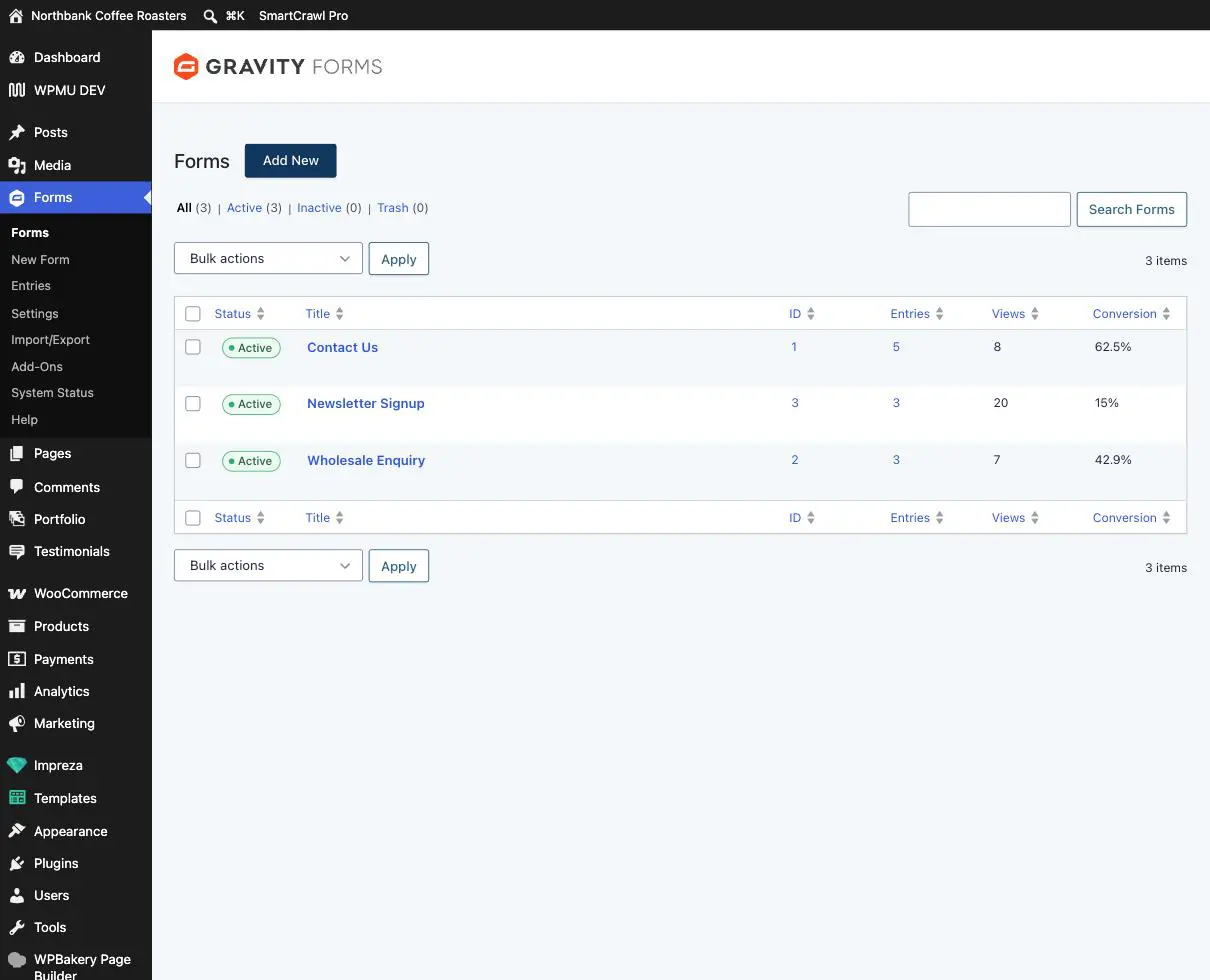
The Views and Conversion columns are worth a glance now and then. Views counts how many people saw the form, so a conversion rate that suddenly drops can be an early sign the form has stopped working.
Reading the list
- Click the number in the Entries column, or go to Forms then Entries and pick the form from the dropdown at the top.
- The newest enquiry is at the top.
- Hover over any row and a set of links appears underneath it: View, Edit, Mark read, Mark as Spam and Trash.
- Click View, or the name itself, to open the full enquiry.
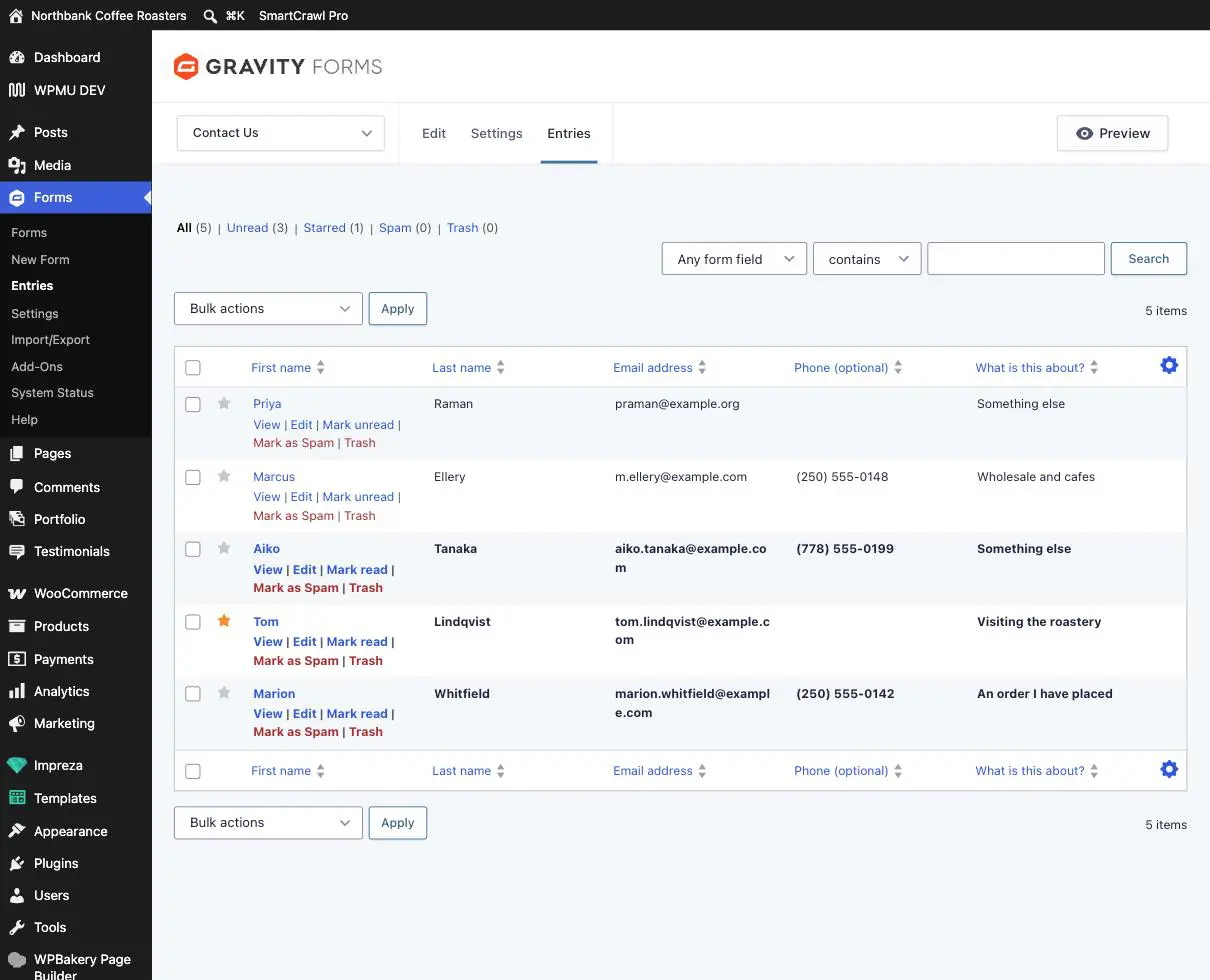
Use the star as a to-do list. Click the grey star beside anything you need to come back to, then use the Starred filter at the top to see just those. It is a much more reliable way to keep track of who still needs a reply than leaving things unread.
Reading one enquiry
The entry page shows every answer in the order the form asked for it, and a panel on the right with the details you occasionally need.
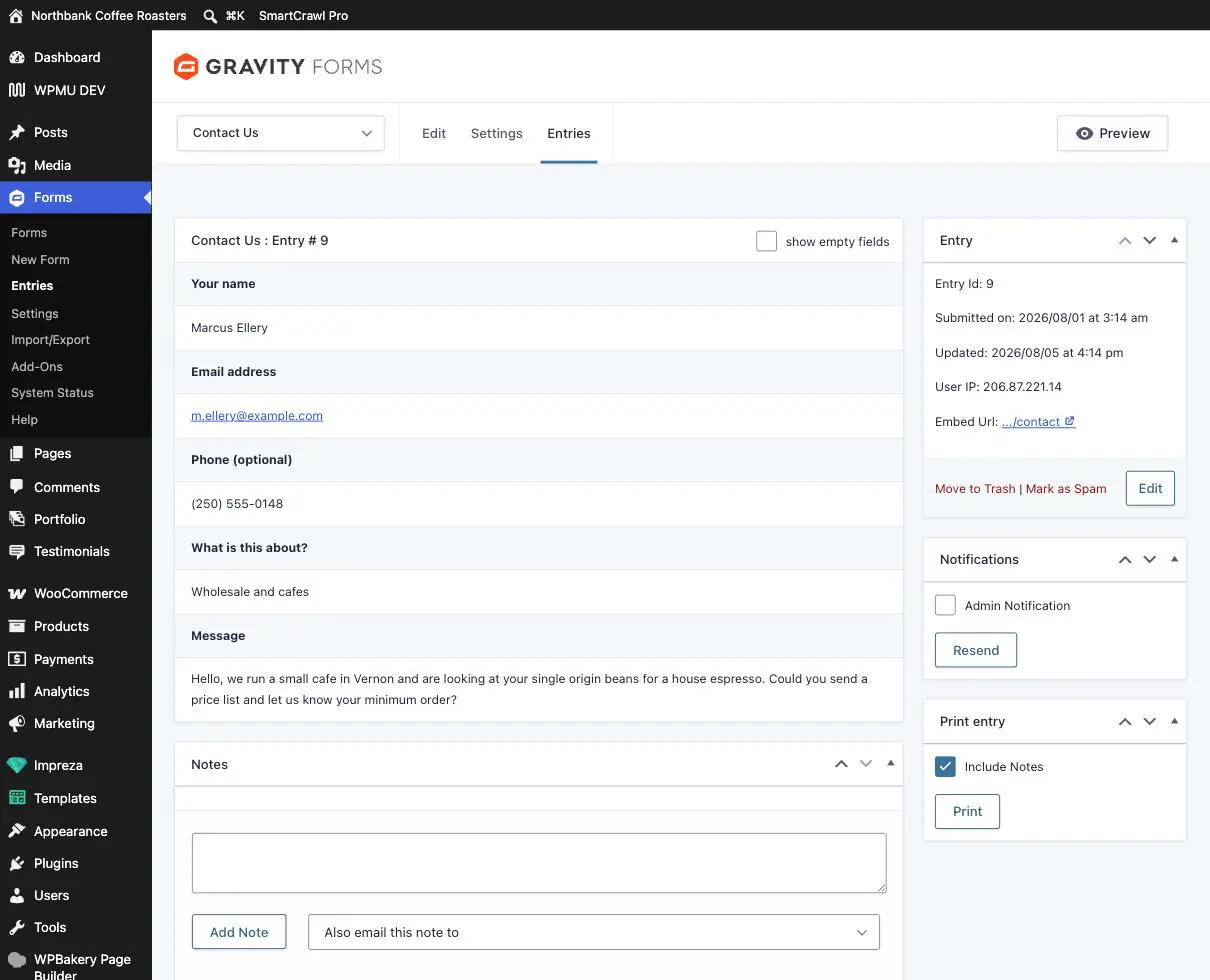
Three things on that right-hand side are more useful than they look:
- Submitted on tells you exactly when it arrived, which settles most “did they ever contact us?” questions.
- Embed Url is the page the form was sent from. Handy when the same form sits on more than one page and you want to know which one brought the enquiry in.
- Resend sends the notification email again, to whoever the form is set up to notify. Useful when an enquiry arrived on the site but the email never showed up.
Replying
Click the email address in the entry and your normal email program opens with the address filled in. There is no reply button on the website itself, and that is deliberate: replies should come from your real mailbox so the conversation lives in one place and you have a record of it.
Spam
Anything obviously junk can go to Mark as Spam rather than Trash. That tells the site’s spam filter it got one wrong, so it gradually catches more. Have a glance in the Spam filter every few weeks, because filters occasionally take a real enquiry by mistake.
Trash is not instant deletion, but do not rely on it. Trashed entries can be restored, but they are the one part of your site with no long revision history behind them. If you are not certain something is junk, mark it as spam or star it instead of trashing it.
When to email us instead
- The entry count is not going up and you would expect it to. That usually means the form has broken rather than that nobody is writing in, and it is worth checking straight away.
- Entries are arriving but the emails never do. Start with My form emails are not arriving, then tell us if that does not sort it.
- You are getting a lot of spam suddenly. There are things we can add that do not make the form harder for real people to use.
Related guides
Still haven’t found what you’re looking for?
Let us know and we’ll do our best to help out!