

Have questions about paid ads, campaign optimisation, or platform features? Browse our knowledge base for step-by-step guides, FAQs, and expert insights to help you succeed.
How to Invite Connections to Follow Your LinkedIn Page
As a super or content admin on your LinkedIn Page, you can grow your follower base by inviting your 1st-degree connections to follow your Page.
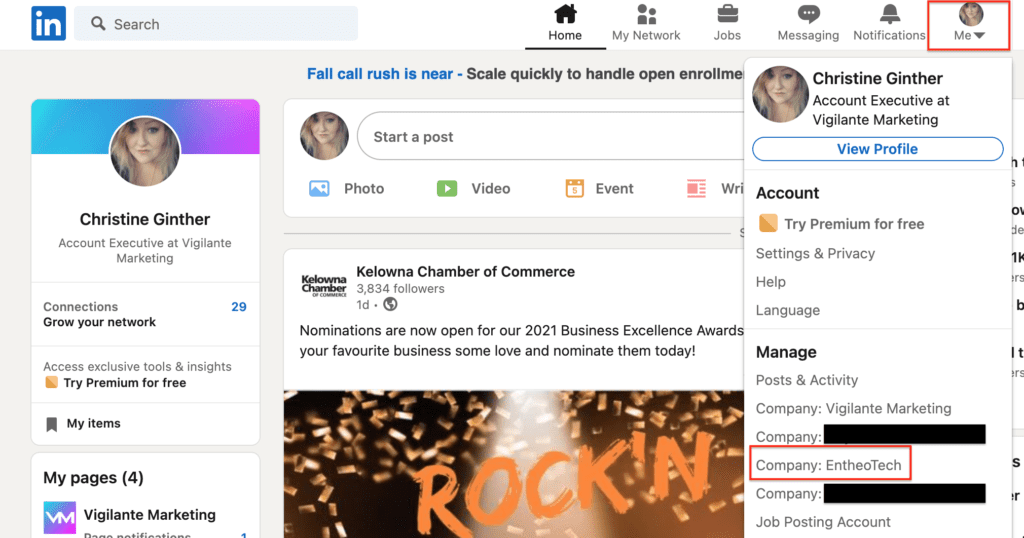
Access your Page Super or Content admin view.
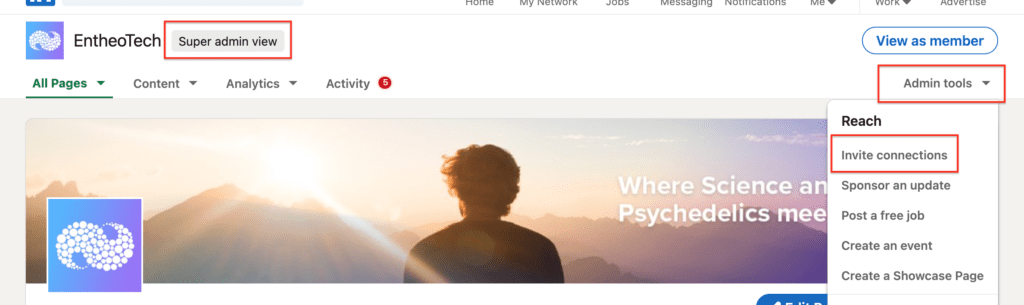
Click the Admin tools dropdown at the top of the Page and select Invite connections.
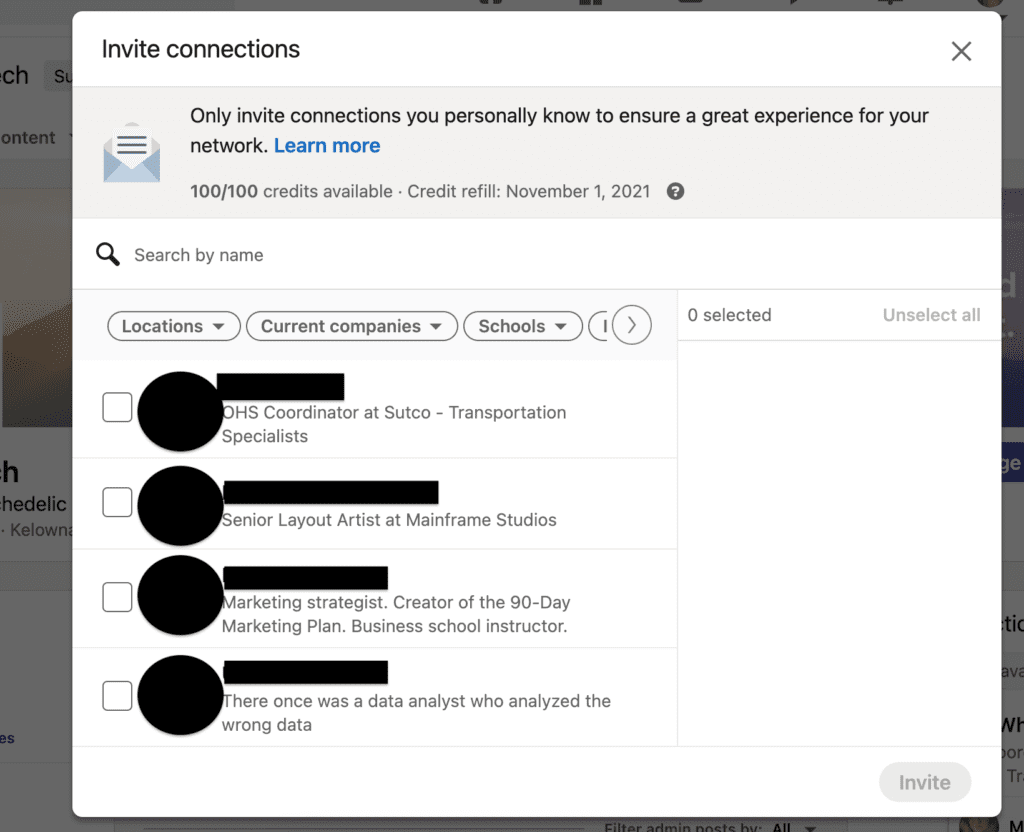
Select connections from the populated list or search for them using the Search for connections… field.
*Note* Connections that have been successfully invited or those who are already following your Page will be automatically filtered out.
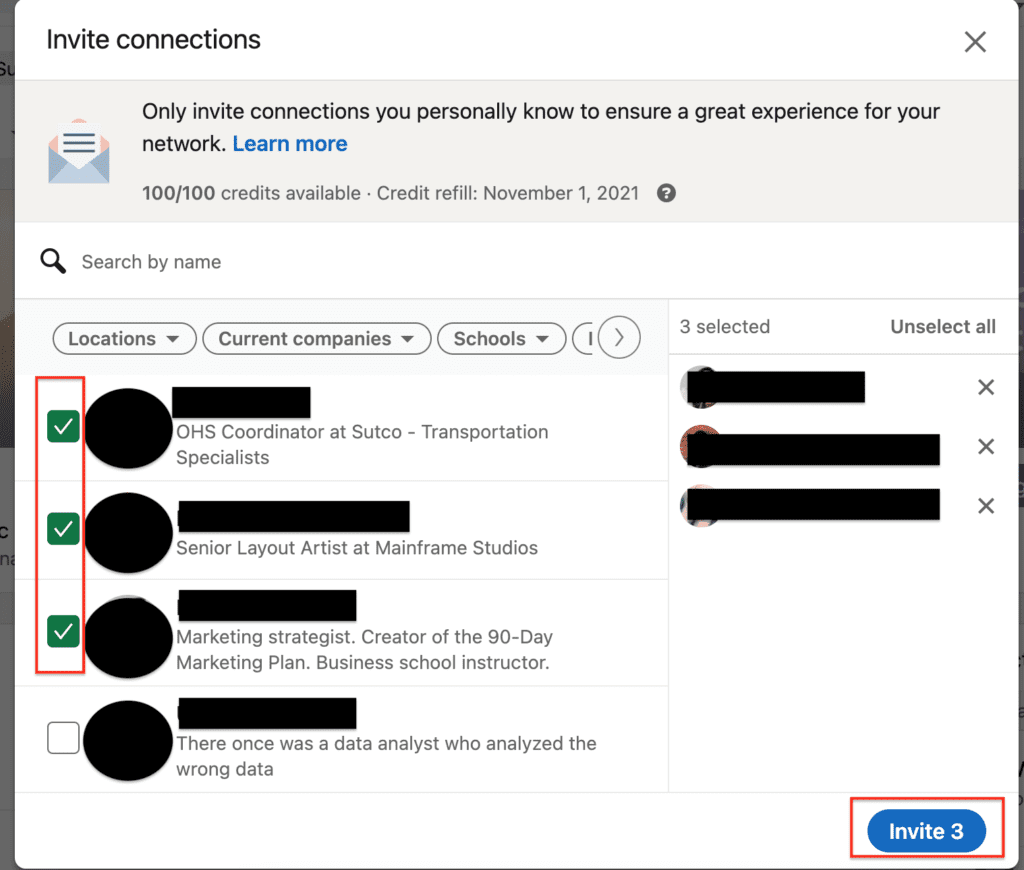
Click Invite connection(s). Your connections will receive an invitation notification. If an error appears, you may have reached your invitation limit.
Notes:
- Pages with less than 100,000 followers can invite members to follow via the Invite Connections To Follow module on the right side of your Page. The module won’t display if an admin has closed it or there are less than three connections left to invite.
- We recommend that you only send Page invitations to connections who are likely to be interested in your Page.
- Members can opt-out of receiving any Page invitations through their Network settings.
Still haven’t found what you’re looking for?
Let us know and we’ll do our best to help out!