Stand Out on LinkedIn: How to Build a Business Profile That Converts

Illustration representing LinkedIn business page optimization

In the digital age, your LinkedIn business page is more than a placeholder.  It’s a living, breathing extension of your brand. A well-crafted LinkedIn profile does more than look polished: it helps you attract the right audience, demonstrates credibility, and turns passive visitors into leads. At Vigilante Marketing, we believe in maximizing every touchpoint your brand has and LinkedIn is no exception.

Here’s how you can build a LinkedIn business page that engages, converts, and elevates your brand.

1. Start with a Strong Foundation: Branding & Visuals
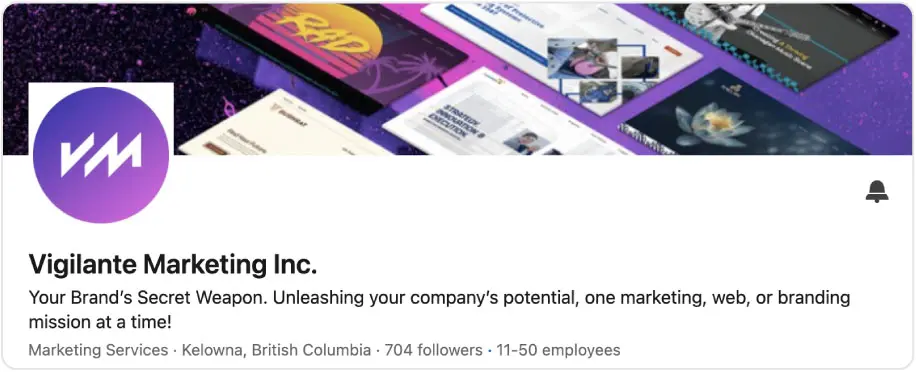
Cover Image + Logo

Use high-quality visuals that reflect your brand’s aesthetic. The cover image is prime real estate — consider using it to showcase:

  • Your tagline or value proposition
  • A hero visual (team photo, product shot, work in action)
  • A call-to-action or hashtag (if it fits)
Mockup of LinkedIn Cover Image and Logo
Banner Best Practices

Choose a banner layout that balances visuals and whitespace. Avoid overcrowding with text. Use your brand colour palette and maintain design consistency with your website and other channels.

Consistent Branding Across Assets

Every visual on your LinkedIn (banner, logos, images in posts) should feel cohesive with your website, marketing collateral, or brand guidelines.

2. Craft a Compelling “About” / Description Section
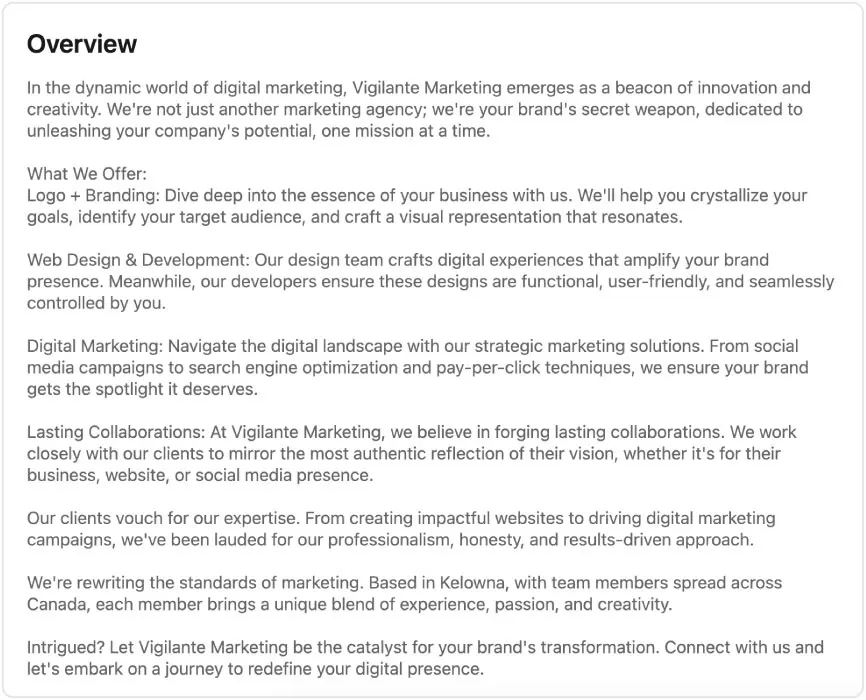
Lead with Your Mission or Differentiation

Start with a hook — e.g. “We help B2B SaaS startups turn visitors into subscribers.” Lead with your “why.”

Target Audience + Pain Points

Clarify who you help and how. Name the pain points you address so visitors see themselves in your story.

Value Propositions & Proof Points

List your services in bullet points and add credentials like years in business, awards, or client success metrics.

Call to Action

End with clear direction — “Book a call,” “Follow us,” or “Visit our portfolio.”

SEO + Keywords

Use relevant industry keywords naturally to help both LinkedIn’s algorithm and human searchers.

Mockup of LinkedIn Overview Section

3. Showcase Social Proof & Media
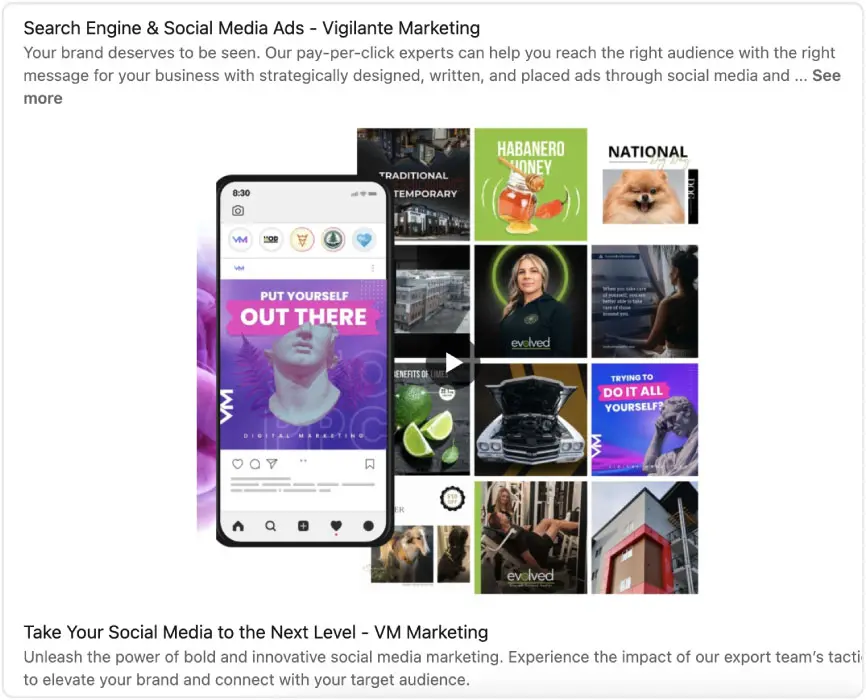
Case Studies & Client Logos

Highlight success stories, metrics, or before/after visuals to show credibility.

Testimonials & Recommendations

Encourage clients or partners to leave recommendations for added trust.

Media / Press Mentions

Link to or embed any features, podcasts, or interviews that strengthen your authority.

Mockup of LinkedIn Feature Image

4. Use “Specialties,” Featured Content & Services
Specialties

Add up to 20 specialties. Choose terms your ideal clients might search to improve discoverability.

Featured Section or Showcase Pages

Pin your best content — case studies, blog posts, infographics — or create Showcase Pages for distinct business lines.

Services Section

List all your services so visitors quickly see how you can help.

Mockup of LinkedIn Services Section

5. Lead with Content — Not Just Promotion

Regular Content Sharing

Post consistently (2–5 times per week) with content that:

  • Educates (how-to guides, tips, insights)
  • Inspires (client wins, behind-the-scenes)
  • Engages (polls, questions, commentary)
Multimedia Variety

Use images, infographics, video, and documents to boost engagement.

Tagging & Mentions

Mention collaborators or clients to increase reach and authenticity.

Hashtags + Keywords

Use 3–7 relevant hashtags per post for better discoverability.

Long-Form Content

Leverage LinkedIn articles or newsletters to establish thought leadership.

6. Engage Actively — Don’t Just Broadcast

Respond quickly to comments and DMs.

  • Comment meaningfully on posts from peers, clients, and thought leaders.
  • Join and contribute to relevant LinkedIn groups.

7. Optimize for Performance & Analytics

Track Metrics

Monitor visitors, follower growth, search appearances, and engagement.

A/B Test Content

Experiment with formats, posting times, and topics.

Iterate Regularly

Update your visuals, About section, and specialties every 3–6 months.

8. Bonus Tips & Mistakes to Avoid

Bonus Tips
  • Encourage employees to link their profiles to your company page.
  • Use LinkedIn’s CTA button (e.g. “Visit website,” “Contact us”).
  • Keep your URL simple and memorable.
Mistakes to Avoid
  • Using blurry or stretched images.
  • Letting your page go inactive.
  • Ignoring SEO opportunities.

Conclusion: Your LinkedIn Presence as a Growth Engine

Your LinkedIn business profile should function like a mini flagship — representing your brand, converting visitors, and supporting your content. Done right, it becomes a magnet for leads, partnerships, and brand authority.

At Vigilante Marketing, we help brands bridge the gap between aesthetics and performance. If you’d rather have a seasoned team optimize your LinkedIn, website, or overall digital presence, we’d love to talk.

Ready to elevate your LinkedIn game? Visit us at vigilante.marketing or get in touch — we’re your marketing sidekick ready for action.


This Post was written by

Get the Inside Scoop

leading marketing and web design

We are always learning to bring you the leading marketing and web design information.

Secret Link
SHARE YOUR CART